
Rankings
The boards are in the game, and they are live
QQiROSE has no ranking table on this website. The rankings window is inside the client, and it reads the server the moment you open it — so what you see is the board as it stands right now, not a page someone remembered to update.
That is also why there is nothing here to game: the numbers come straight out of the live server, and staff characters are excluded from the boards.
Step 1 — Open the rankings window
Click the podium button on the menu at the bottom right of the screen. It sits just above the arena button.
 The rankings button, bottom right of the screen.
Step 2 — Choose a board
Three tabs across the top, top 100 on each:
- Level — the highest characters on the server.
- Clan — clans by level and points, with their master and size.
- Zulie — the richest characters on the server.
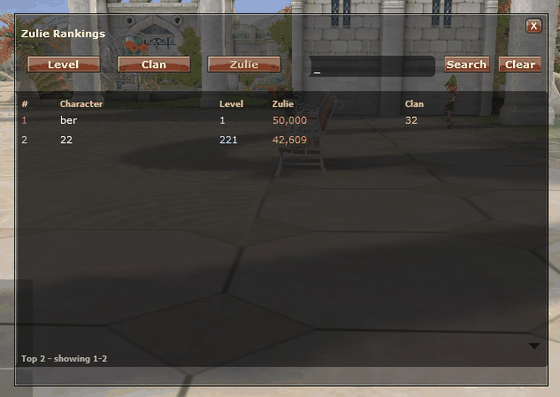 The Zulie board. Each row shows the rank, the character,
their level and their clan.
The Zulie board. Each row shows the rank, the character,
their level and their clan.
Step 3 — Find yourself
Not in the top 100 yet? Type a name into the search box and press Search. The rank you get back is your position on the whole board, not your position among the search results — so it is a real answer to "where am I?".
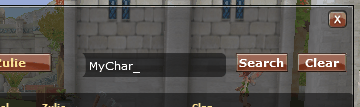 Type a name and press Search. Clear puts the full
board back.
Type a name and press Search. Clear puts the full
board back.
Who is on the boards
- Staff are hidden. GM and admin characters never appear on any board.
- Deleted characters are dropped.
- Level ties are broken by name, so the order is stable between refreshes.
More boards are coming
Level, Clan and Zulie are the first three. Kills and reborn boards are planned — if there is one you want to see, say so in Discord.
Climb It
Exp is x100 and the level cap is 280 — the Level board moves fast. Get the client and start your run.
Community
Brag about your rank where people will see it.
